
Client profiles
Contact details, visits, conversations, billing, packages, family members, flags, and photos in one place.
For: Front deskPractitionersManagersOwners
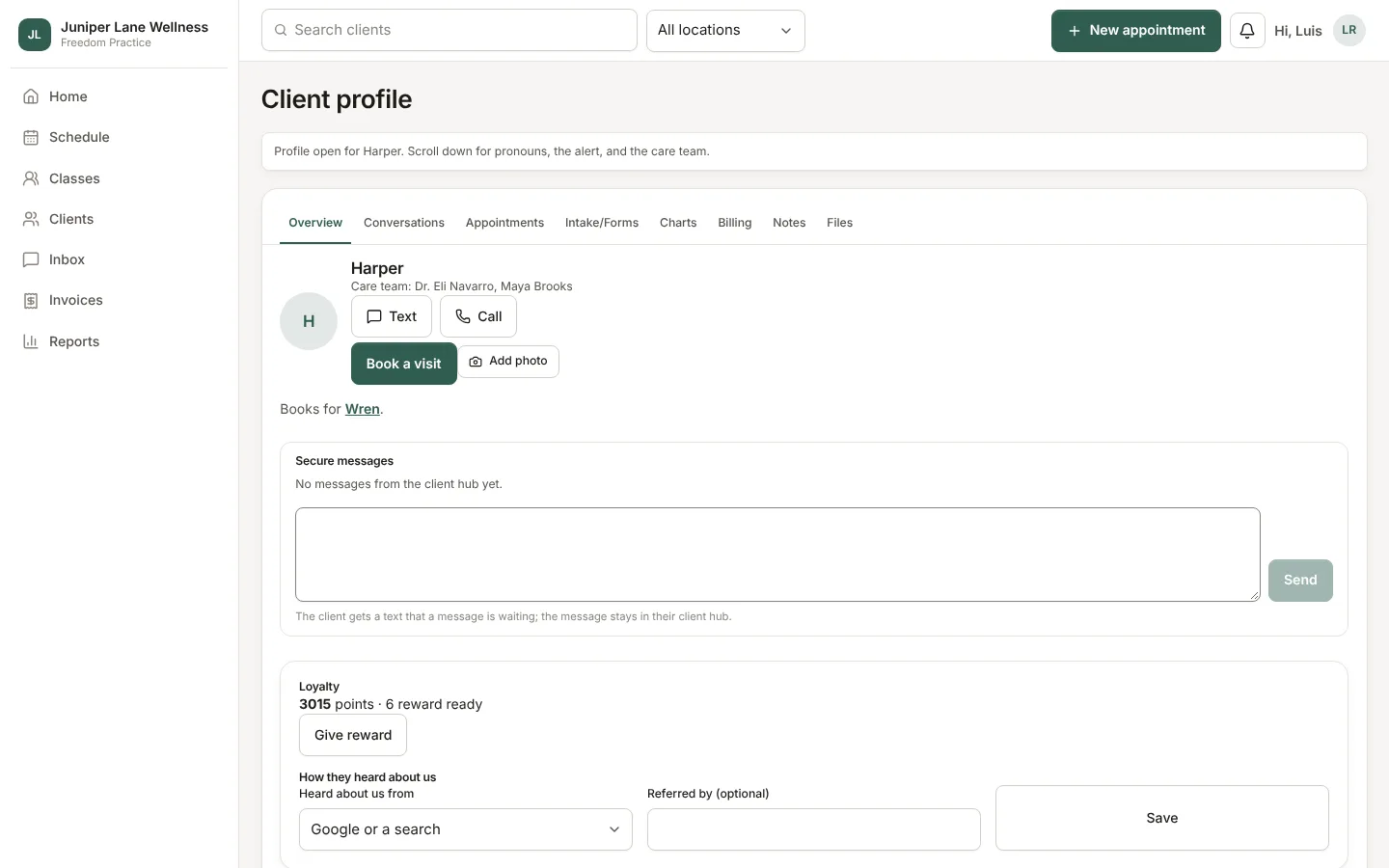
Open Clients and search by name, phone, or email, or click a client's name on a visit.
What is on a profile
- Contact details and how they like to be reached.
- Visits: upcoming and past, with Book a visit.
- Conversations: every call, voicemail, text, fax, email, chat, and rating, searchable and filterable.
- Billing: balance, card on file, packages, memberships, gift cards, and loyalty points.
- Family: children or others the client books for. Their reminders go to the account holder.
- Insurance card, for clinics that bill insurance, with a scanned front and back.
- Charts and Files, for the client's practitioners, owners, and managers.
Flags
Any staff member who can see a client can flag them (often late, no-shows, rude, and so on) with a private note. A flag puts them behind others on the waitlist and hides openings within 48 hours online. A practitioner can choose "not with me". The front desk or a manager can block online booking. Clients never see flags, and staff booking is never limited.
Who sees what
A practitioner sees only their own clients. Another practitioner's client shows on the schedule as a busy time without a name.
Still stuck? Contact support, or in the app open your account menu and choose Contact support.