
Classes and group sessions
Schedule a class once or weekly, let clients book spots, keep a waitlist, and mark attendance.
For: OwnersManagersFront desk
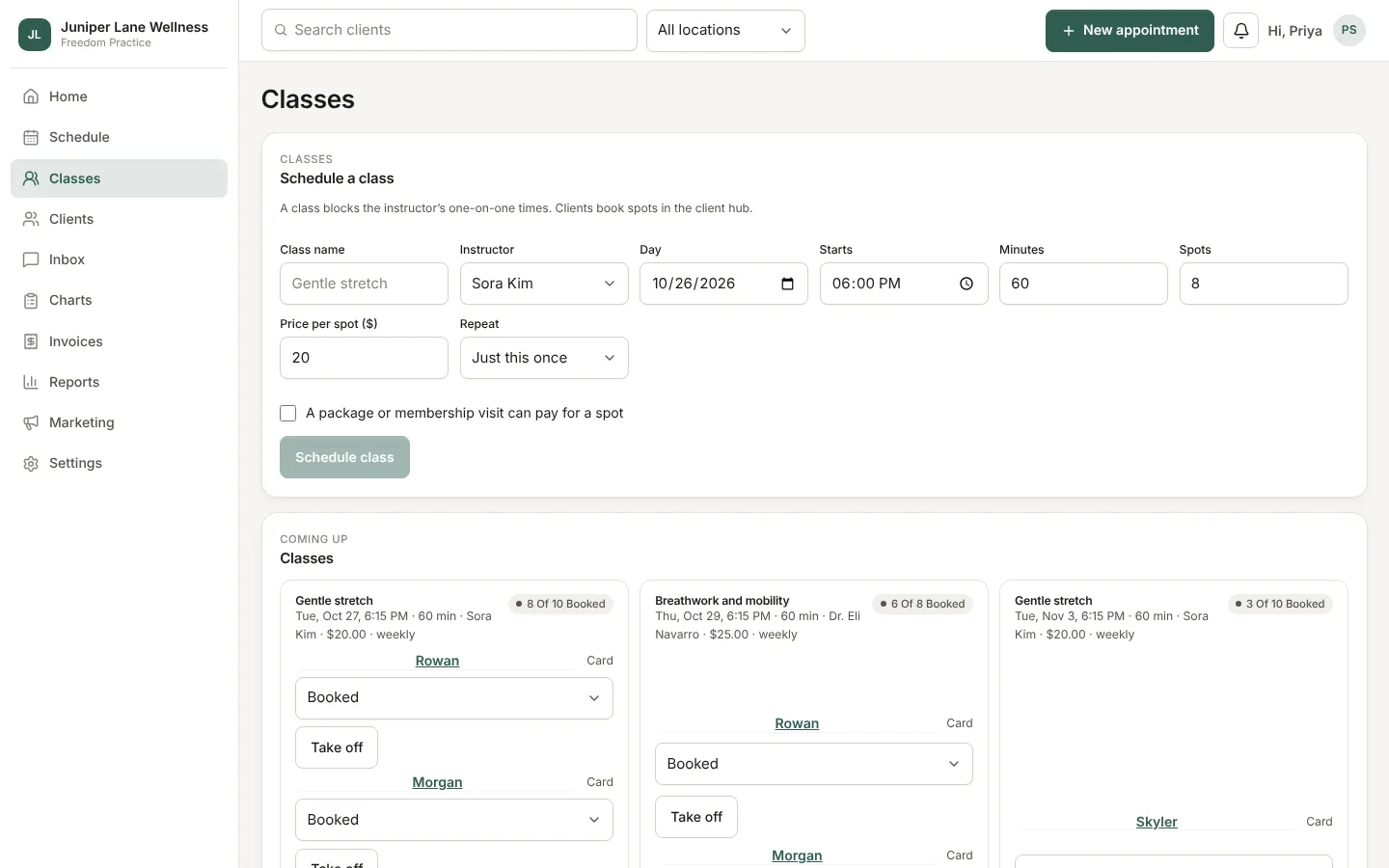
Open Classes. Owners, admins, and managers schedule them; the front desk manages who is in each one.
Schedule a class
Pick the instructor, day, time, length, number of spots, and price. Choose whether it repeats weekly, for up to 12 weeks. Weeks when the instructor is already busy are skipped and listed. A class blocks the instructor's one-on-one times and shows on the schedule as a striped block.
How clients book
Clients see upcoming classes in the client hub and book with the card on file, or a package visit if the class allows it. When a class is full, they can join its waitlist. If someone cancels, the first person on the waitlist gets a text. The text never names the class.
At the desk
- Add a client and choose how they pay: card, balance, package, or no charge.
- Take a client off, which refunds them outside your cancellation window.
- Mark attendance with the instructor.
- Cancelling the whole class refunds everyone and tells them.
Still stuck? Contact support, or in the app open your account menu and choose Contact support.